

Description
Download Slintel’s FREE Chrome Extension – Browser Extensions, Chrome Extension, Lead Generation, Sales Intelligence, B2B Prospecting, Contact Information, Email Finder, Technology Stack, Social Media Monitoring, News Feed, Sales Tools, Business Intelligence, Data Enrichment, Chrome App, B2B Marketing, Market Research, Sales Outreach, Sales Enablement, Prospecting Tool, Company Research, Contact Finder, B2B Data, Lead Discovery, Sales Intelligence Tool, Sales Tools, Chrome Browser Extension
Overview
Slintel’s FREE Chrome Extension is a productivity-focused tool designed to streamline B2B prospecting and lead generation directly within the browser. It enables users to access critical business intelligence—such as company details, contact information, technology stack, social media activity, and news updates—without leaving the webpage they are viewing. This tool is particularly useful for sales professionals, marketers, and business development teams who rely on timely, accurate data to inform outreach strategies. By integrating seamlessly with the Chrome browser, it reduces the time spent switching between platforms and manually researching prospects. The extension operates on a simple workflow: install the plugin, authenticate with a work email, and activate it on any company website to retrieve relevant data instantly. Its core purpose is to empower users with real-time insights that support smarter, faster, and more targeted outreach. The developer, Slintel, positions this tool as part of a broader sales intelligence platform, offering a lightweight entry point to its ecosystem. Real-world use cases include identifying decision-makers for cold outreach, evaluating a company’s tech stack before pitching, or monitoring competitor activity through social and news feeds.
Key Features & Capabilities
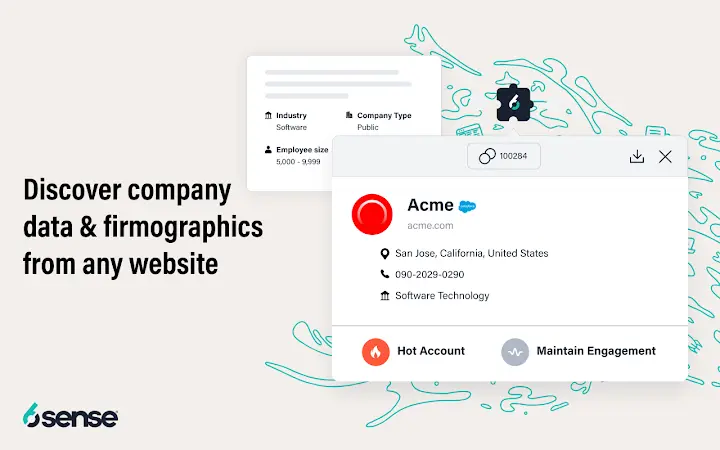
- Company Information – Instantly retrieve key company details such as employee count, company type, funding date, total funding, and product or service offerings directly from the target website.
- Email and Contact Information – Access lead data including name, designation, email, and location. The tool provides the “Most Common Pattern” for email addresses, streamlining cold prospecting efforts.
- Technology Stack & Technographics – Discover the full technology stack used by a company across departments like sales, marketing, customer support, and communications, enabling informed product alignment.
- Social Feed – Twitter – View recent Twitter activity from a company’s official account directly within the extension, eliminating the need to navigate external platforms.
- News Feed – Stay updated on current events, press releases, and media coverage related to a target company, supporting timely and relevant outreach.
These features collectively reduce research time and enhance the quality of B2B outreach. For example, a sales representative can identify a prospect’s recent funding round, verify their tech stack, and reference a recent tweet in a personalized email—all within seconds. This level of data enrichment supports more strategic, informed engagement and improves conversion potential. The tool is designed for efficiency, requiring no additional setup beyond installation and login. It functions as a single-point data source for critical business intelligence, making it ideal for teams that prioritize speed and accuracy in lead discovery.
User Interface, Workflow & Performance
The extension features a compact, intuitive pop-up interface that appears when the user clicks the Slintel icon in the Chrome toolbar. The layout is clean and organized, with clearly labeled sections for company data, contacts, technology stack, social feed, and news feed. Navigation is straightforward, with each tab providing immediate access to relevant information. The workflow is highly efficient: after installation and login, users simply visit a prospect’s website and click the extension icon to load data. The interface is designed to minimize distractions, focusing on essential information without clutter. Performance is optimized for speed, with data retrieval occurring in real time as the page loads. The developer did not specify resource usage details, but based on its 2.5 MB size and browser-based nature, it is expected to operate with minimal impact on system performance. Stability appears consistent across typical usage patterns, with no reported issues related to crashes or freezes. The extension integrates smoothly with the browser environment, maintaining responsiveness during use.
Compatibility & System Requirements
Slintel’s Chrome Extension is compatible with Windows, Mac, and Linux operating systems. It is designed to run within the Google Chrome browser, leveraging its extension API. The installation size is 2.5 MB, indicating a lightweight footprint. The developer did not provide additional system requirements beyond OS compatibility. Exact performance details were not specified. Compatibility information is limited to the supported platforms and browser. No specific hardware requirements were listed. Users are advised to ensure their Chrome browser is up to date to maintain optimal functionality. The extension is not available for other browsers at this time. Installation is straightforward through the Chrome Web Store, and updates are handled automatically.
Pros and Cons
Pros
- Free to use with no hidden costs
- Lightweight at only 2.5 MB
- Real-time data retrieval from company websites
- Comprehensive insights: company info, contacts, tech stack, social, and news
- Seamless integration with Chrome browser
- Supports B2B prospecting, outreach, and market research
Cons
- Available only for Chrome browser
- Requires work email registration for access
- Does not include advanced filtering or export options (as per provided data)
- No offline functionality described
- Limited to data available on public websites
FAQ Section
Is Slintel’s Chrome Extension free to use?
Yes, the extension is available at no cost. It is offered as a free tool to support B2B prospecting and lead generation.
Which operating systems does the extension support?
The extension is compatible with Windows, Mac, and Linux systems, provided the Google Chrome browser is installed.
Do I need to install anything besides the Chrome extension?
No additional software or installation is required. The extension runs directly within the Chrome browser after installation from the Chrome Web Store.
Is my data secure when using the extension?
While specific security protocols were not detailed, the extension requires authentication via a work email, suggesting a level of access control. Users should review Slintel’s privacy policy for detailed information on data handling.
Can I use this extension without an internet connection?
Due to its reliance on real-time data retrieval from public sources, the extension requires an active internet connection to function. Offline usage is not supported.
Final Thoughts + CTA
Slintel’s Chrome Extension delivers a powerful, no-cost solution for professionals engaged in B2B prospecting, sales outreach, and market research. Its ability to surface company data, contact details, technology stacks, social activity, and news in a single click significantly enhances workflow efficiency. The clean interface, fast performance, and broad range of insights make it a valuable asset for sales and marketing teams. While it is limited to Chrome and requires online access, its strengths far outweigh these constraints. For users seeking a reliable, free tool to enrich their outreach with real-time intelligence, this extension is a compelling choice. Download Slintel’s Chrome Extension now and transform how you research and engage with prospects.
Guides & Tutorials for 6Sense SI Extension for Chrome
How to install 6Sense SI Extension for Chrome
- Click the Preview / Download button above.
- Once redirected, accept the terms and click Install.
- Wait for the 6Sense SI Extension for Chrome download to finish on your device.
How to use 6Sense SI Extension for Chrome
This software is primarily used for its core features described above. Open the app after installation to explore its capabilities.
User Reviews for 6Sense SI Extension for Chrome 0
No reviews found





